MU: Pocket Knights PC version Grand Open
A Tap a Day, Idle Fun Every Day!
Hello, Captain!
For your more pleasant experience in Lorencia adventures,
MU: Pocket Knights is now available in PCs!
You can experience a more immersive battles
through stable network and better Graphic environment in PC version!
Please check the detailed information of MU: Pocket Knights PC version below.
_1756178688.png)
📢 MU: Pocket Knights PC Version Details
📌 Grand Open Schedule
- Thursday, November 13th 2025
📌 PC Version Download
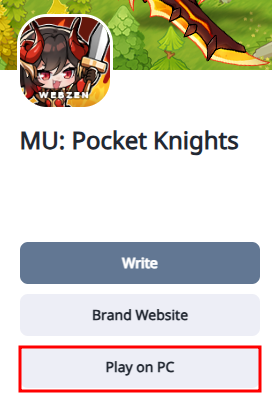
- You can download the PC version through [Play on PC] button in our official brand page.
📌 How to Install
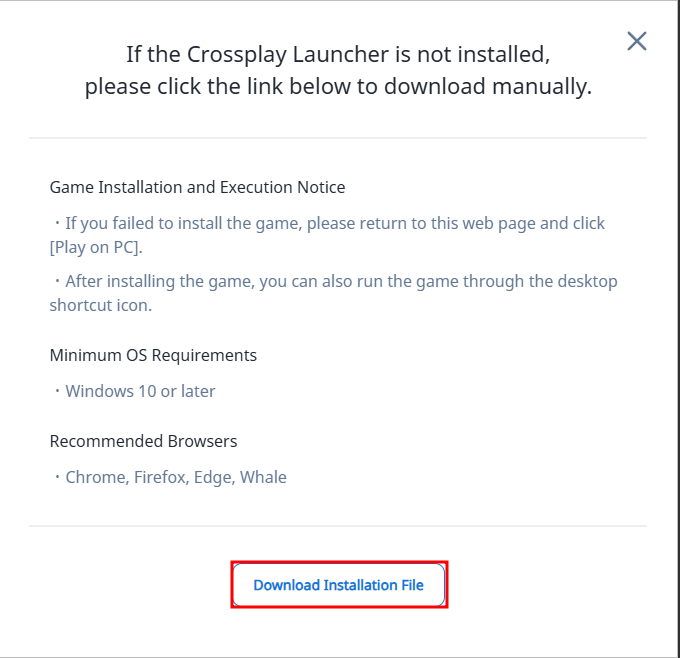
1. Click [Play on PC] button and Download the Installation File for Crossplay Launcher and install the Crossplay Launcher. (If you already have the Crossplay Launcher this screen will not show)
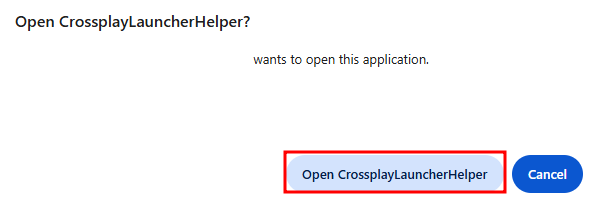
2. After installing the Crossplay Launcher Click [Play on PC] button and click [Open CrossplayLauncherHelper]
3. After the Crossplay Launcher starts click [Install Game].
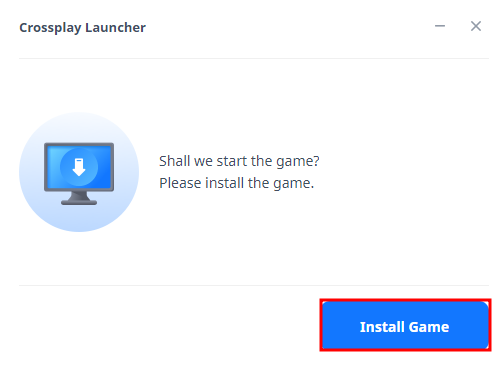
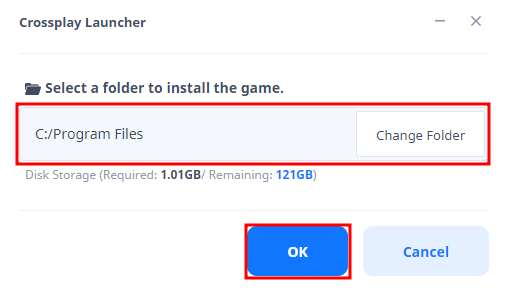
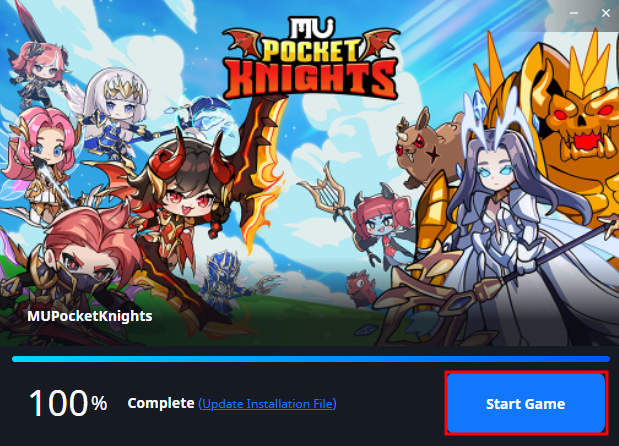
4. After Downloading MU: Pocket Knights, click Start Game.
※ You can use the PC version by logging in with the account you're using on your mobile device.
※ Guest accounts cannot use the PC client. Please link your account on your mobile device before using the PC client.
📌 System Requirements
| Minimum Requirements | Recommended Specifications |
Operating System | Windows® 7 64-bit (32-bit is not supported) | Windows® 7 64-bit (32-bit is not supported) |
Processor | 4th Generation Intel® AMD Ryzen™ Zen | 8th Generation Intel® AMD Ryzen™ Zen 3 |
Video | DirectX® 11, 12 capable GPU | DirectX® 11, 12 capable GPU |
Memory | 8GB RAM | 16GB RAM |
Storage | Over 2GB available space | Over 2GB available space |
※ Even if the minimum specifications provided are met, PC client installation and play may not run smoothly in some environments.

Thank you.